What to do on a holiday with other families: ideas, voting and the day of the trip
On a holiday with several families, “what are we doing” usually lives in the group chat. Someone posts a link to a water park, someone else a hike, twenty messages follow, and two days later nobody knows what was decided, who is going and whether tickets need booking.
It helps when ideas have one place where a family can say “we’re in” with one tap, and when they turn into a program by day. That is what the Program in the event’s plan in Spolu is for.
1. Ideas
An idea is anything you might do there: a water park, a hike, a castle, a restaurant for the evening. A name is enough, everything else is optional.
- Google Maps link. Paste a link to the place and the name and place fill in by themselves. On the day it becomes the navigation.
- Website, if the place has prices or bookings.
- Price per person (adult and child separately), per family, in total, or free. Every family sees straight away roughly what it will cost them.
- Kids’ ages and how long it takes, for example “from 6” or “half a day”.
- Fine in rain. Ideas marked this way also show in the Plan B for rain list.
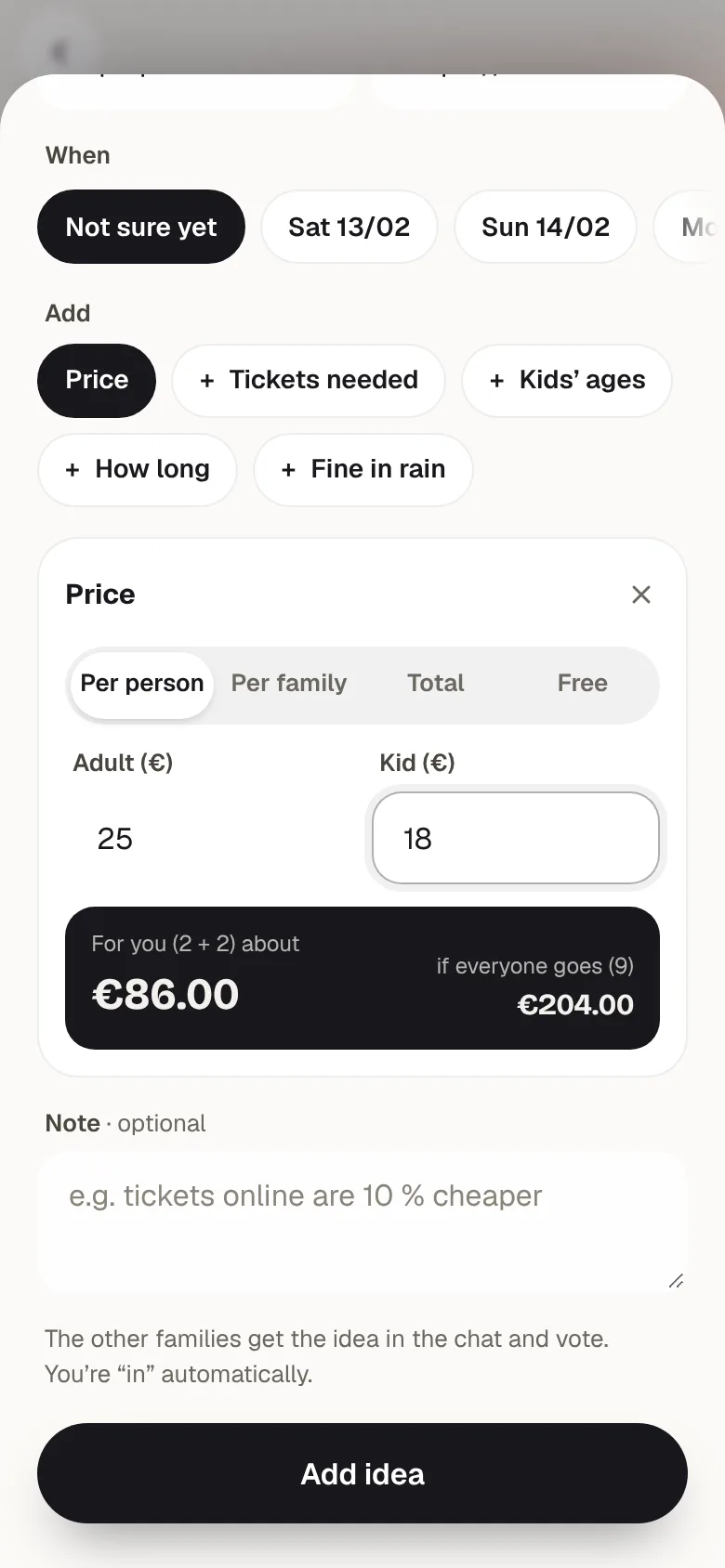
Whoever adds an idea is automatically “We’re in”. The other families get it in the chat.
2. Voting
For each idea every family has three options: We’re in, Maybe, Not us. You can answer in the list of ideas or right on the card in the chat, without opening anything. Ideas are sorted by interest, so what most families want is at the top.
A vote is also a sign-up. Once an idea is on a particular day, “We’re in” means the family goes. If not everyone from a family goes, or they bring grandma along, the activity lets you change how many of you go to this one.
3. A program by day
Any family can put an idea on a particular day and time. Nobody approves anything, votes are just a signal. The other families find out in the chat, and the day can be changed at any time.
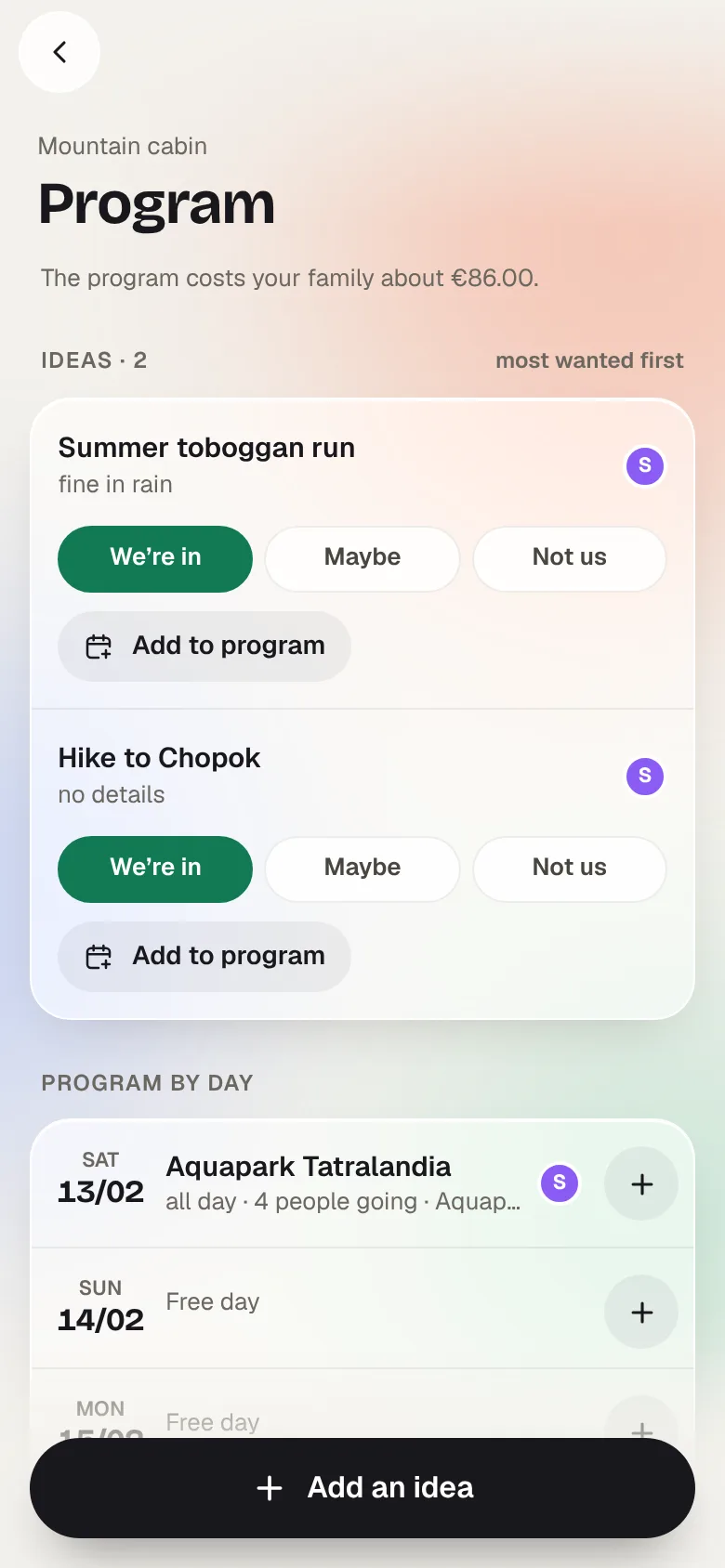
Not every day needs a plan. A day without activities is simply a “Free day”.
4. Tickets
- Tickets needed. For an activity that needs booking or tickets in advance, switch on “Tickets needed” and set who buys them and by when. A “Buy tickets” task appears in the plan.
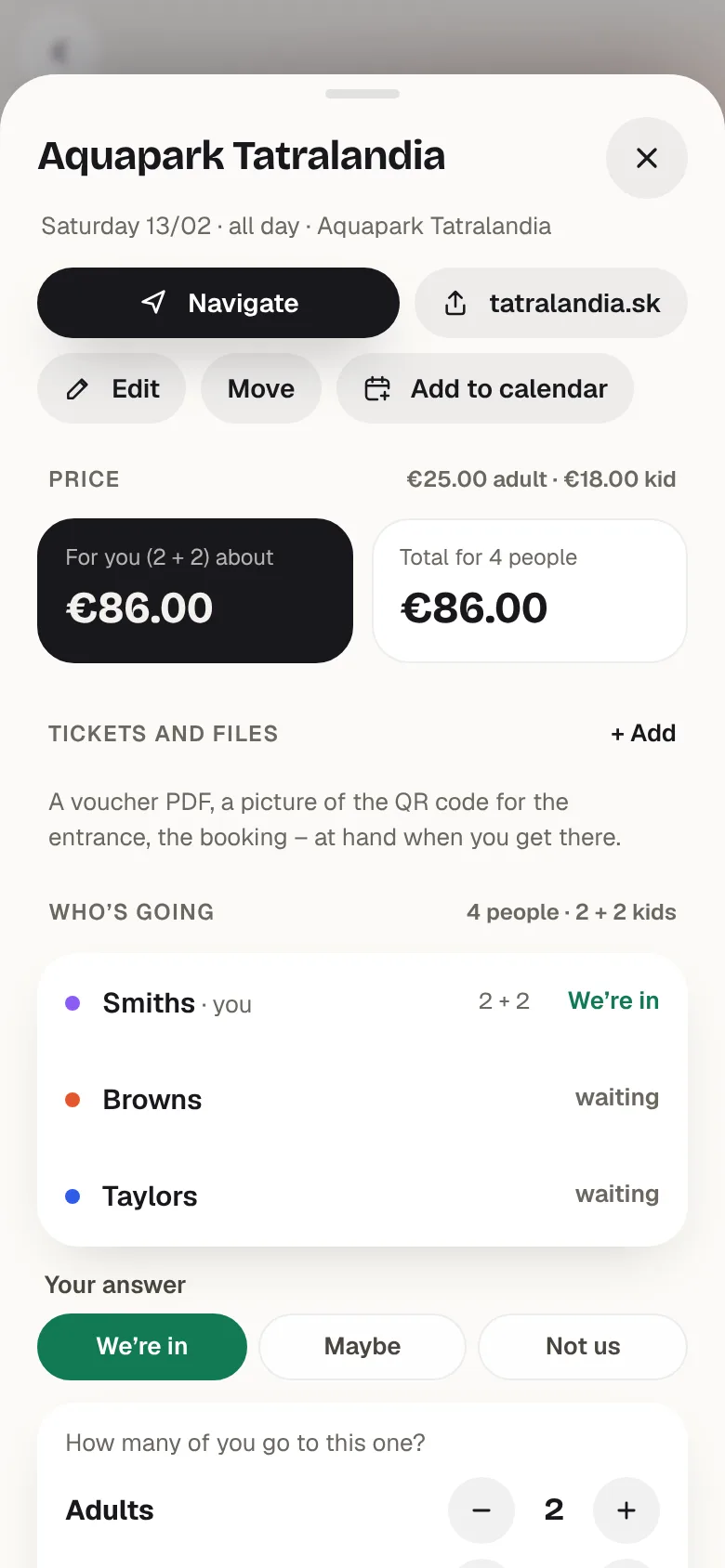
- Tickets and files. Add the PDF voucher or an image with the entry QR code to the activity. Every family has it to hand at the entrance.
- Add to calendar. Add the activity to Google Calendar or as a file to any other calendar.
5. On the day
The home screen and the event show a Today card: what is on, at what time, who is going, and a Navigate button. If something runs late, one tap sends a message like “Running ~10 min late” or “We’re here” to the chat.
6. An expense only for those who went
Log the expense from the activity with Add expense. The amount fills in from the price and the number of people, and it is split only between the families who went.
Example: a water park at €25 per adult and €18 per child. The Smiths (2 adults, 2 children) pay €86, the Browns (2 + 1) €68. The Taylors answered “Not us”, so they pay nothing towards the €154, even though the Smiths paid for everyone at the till.
When it is just your family
The program works for one family too. There is no voting then, ideas are your wish list, and on the day you get the same Today card with navigation. Invite another family later and voting switches on.
A few tips
- Add ideas before you leave. Families can look at them calmly at home, and on the spot you just pick the day.
- Get the children involved. Let them suggest where to go. Their idea then sits in the program like everyone else’s.
- Have a plan B. Two ideas marked “Fine in rain” have rescued many a day in the mountains.
Spolu does exactly this maths. It is free and runs in your browser.
Try Spolu